WLC can authenticate user not only from local database
but can use external (Tacacs or Radius) servers.
but can use external (Tacacs or Radius) servers.
Below procedure explains the Tacacs configuration on the
WLC and we assume that Tacacs server configuration has been done already.
WLC and we assume that Tacacs server configuration has been done already.
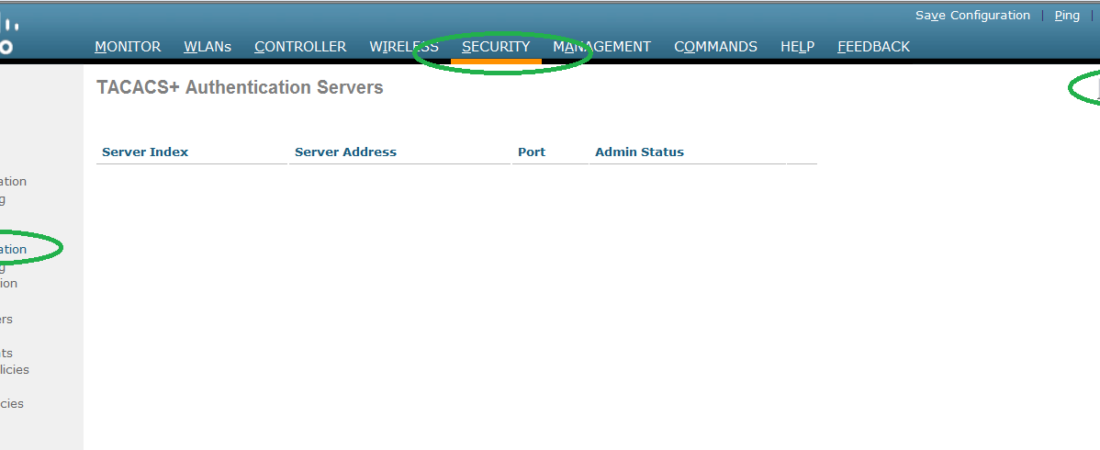
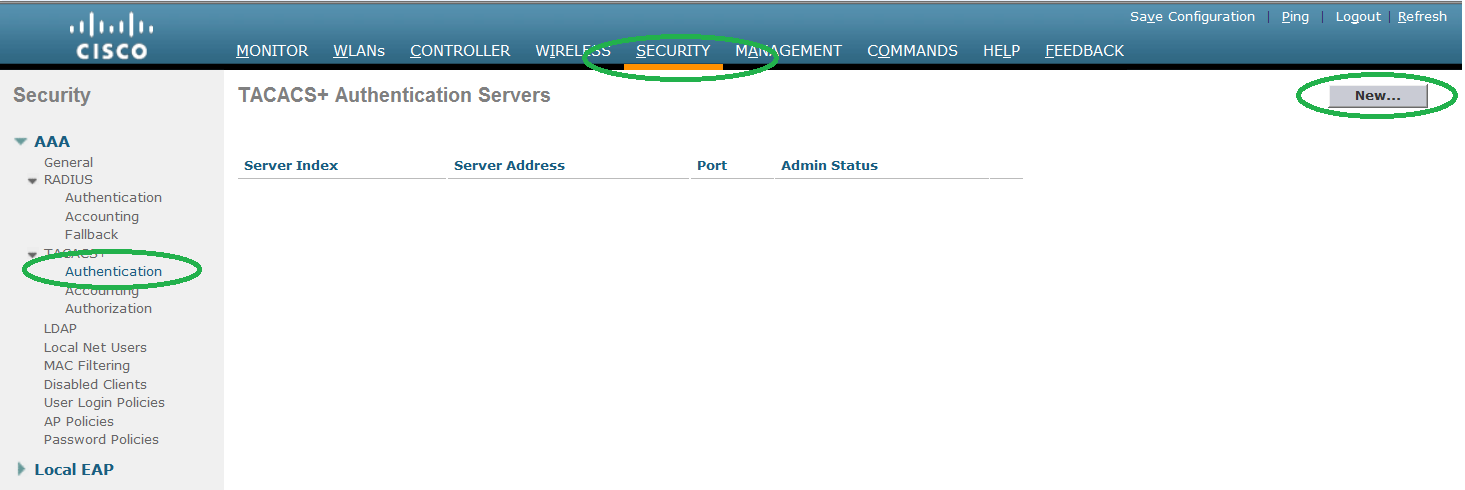
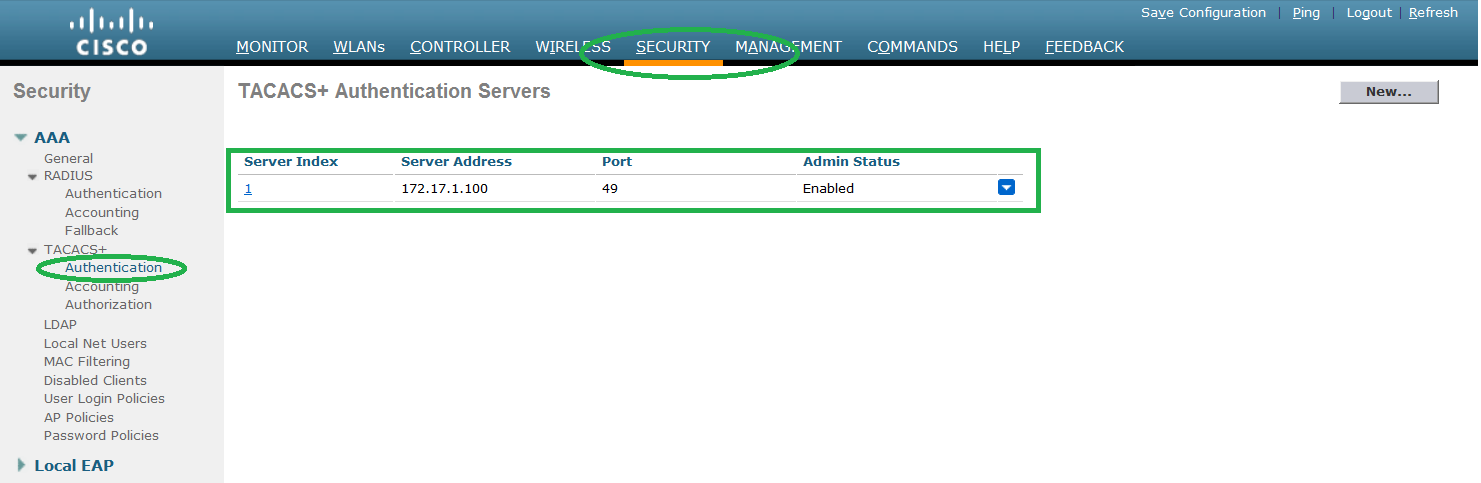
Step1. Configure the Authentication servers.
Go to SECURITY -> Authentication and click NEW to
proceed.
proceed.
Step2. Configure the IP address of the Authentication server and
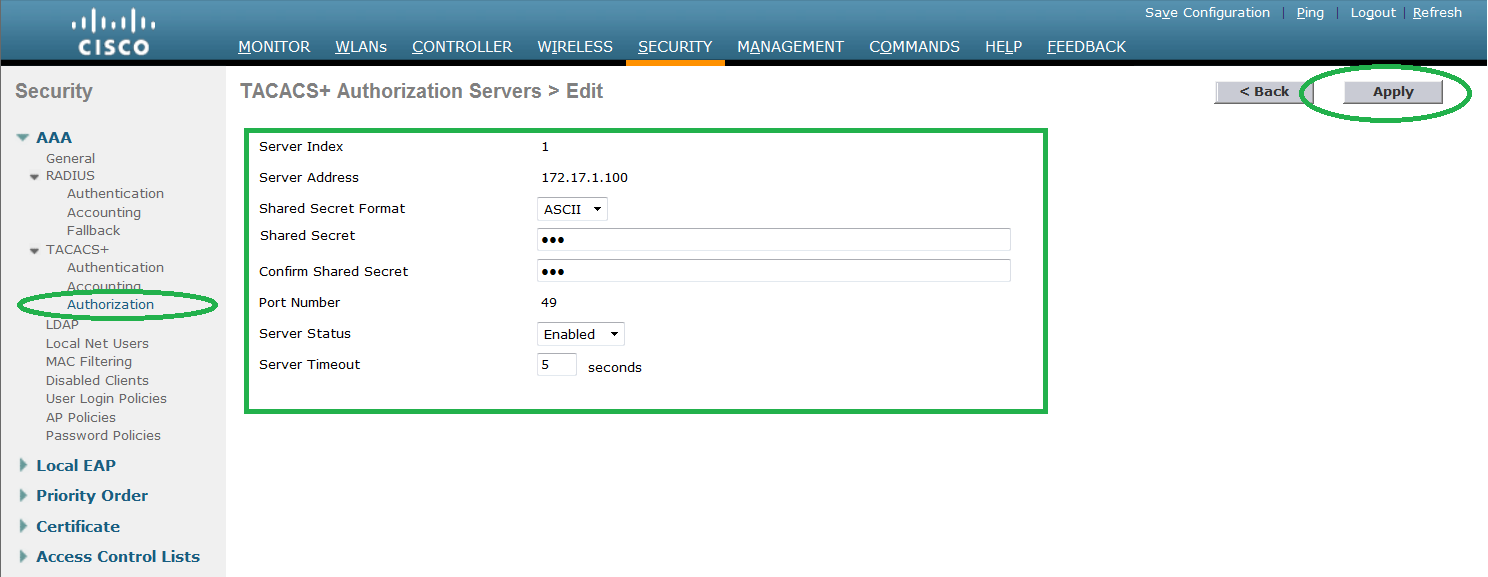
shared secret key. Make sure you copy same key on both WLC and Tacacs server.
shared secret key. Make sure you copy same key on both WLC and Tacacs server.
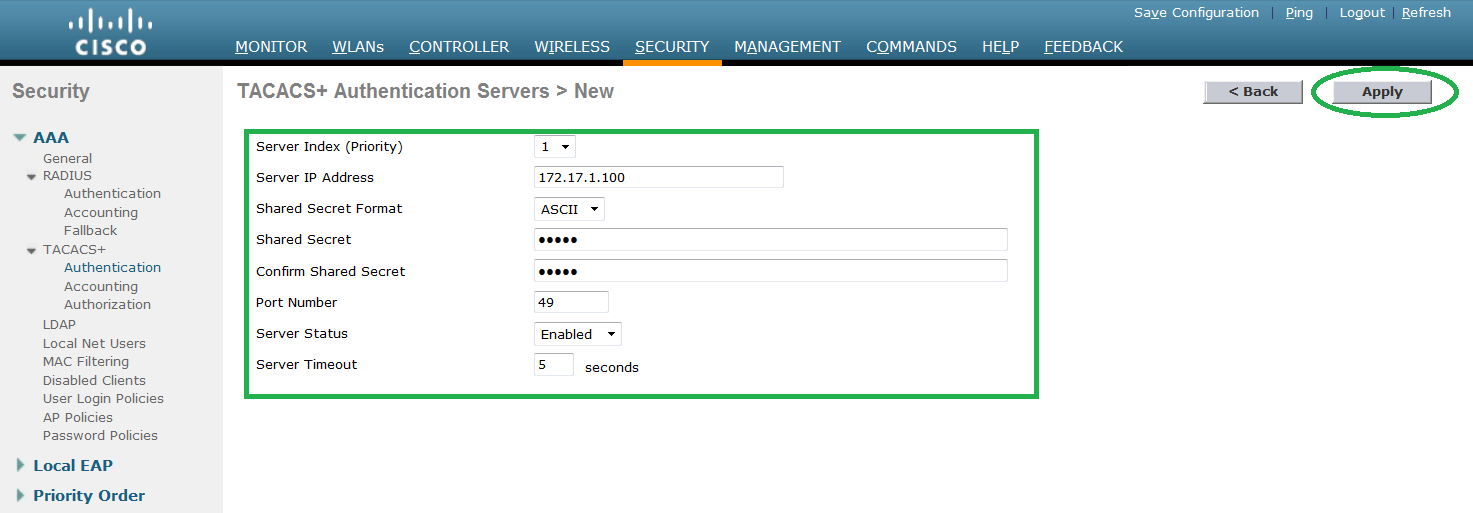
Step3. Press APPLY to send the authentication request to
Tacacs server. Follow the steps 1 to 3 to add more Tacacs server in order to
provide redundancy.
Step 4. Configure Accounting servers.
Go to Security -> Accounting and Click NEW to
configure new servers.
configure new servers.
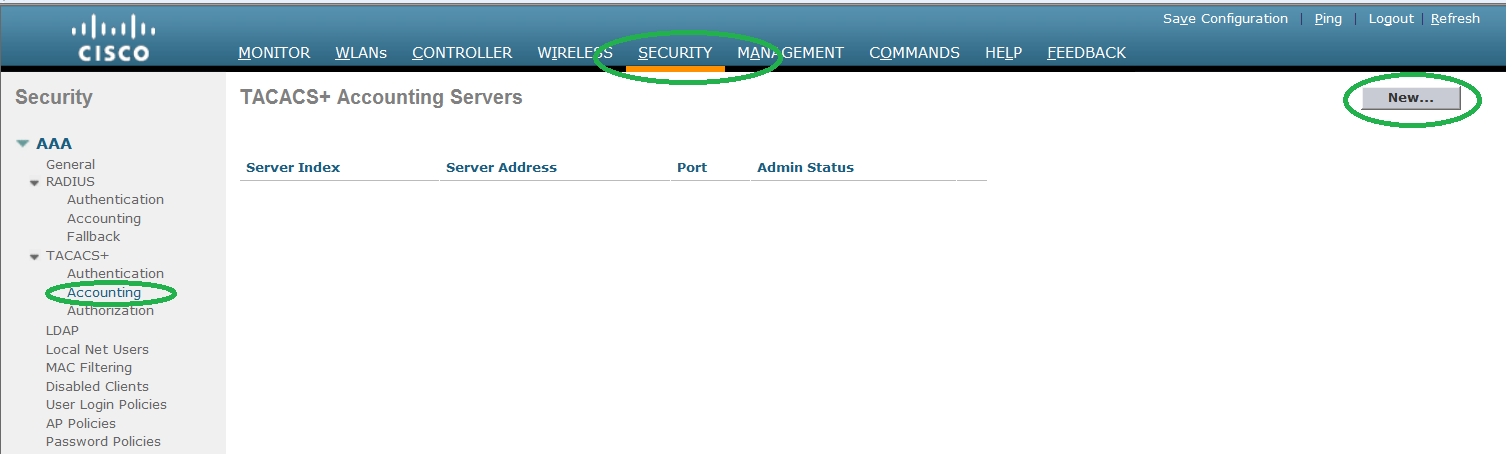
secret key.
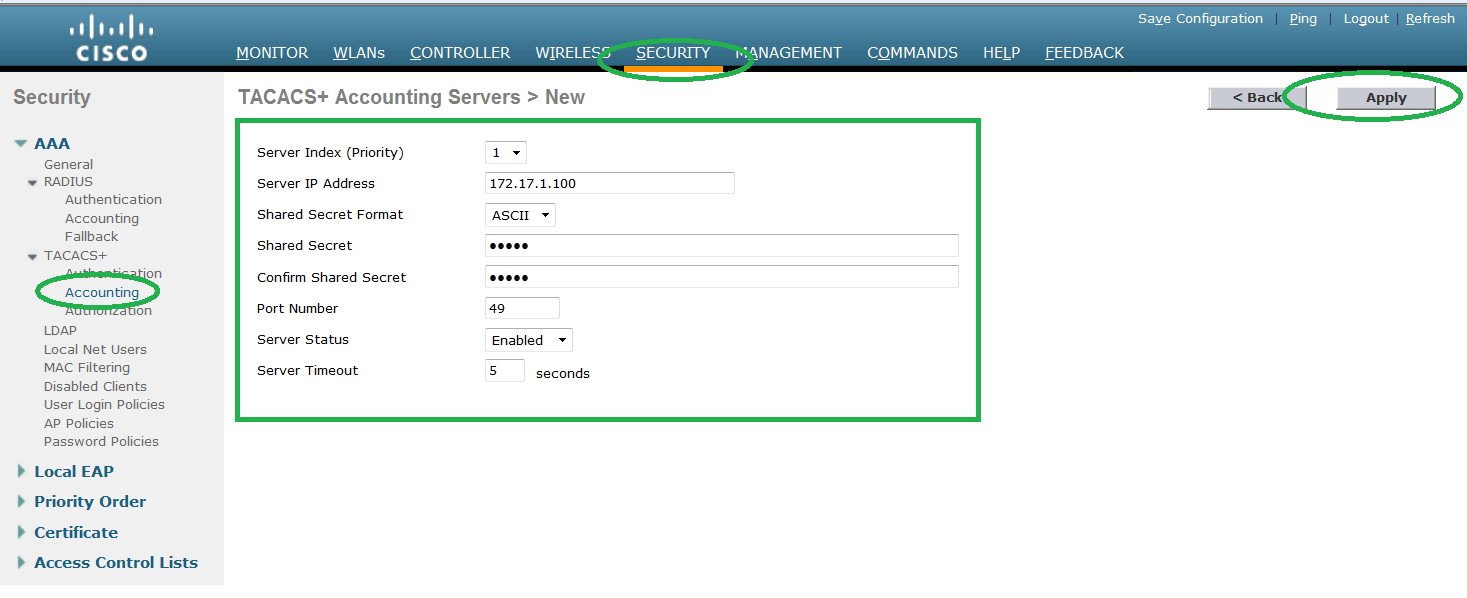
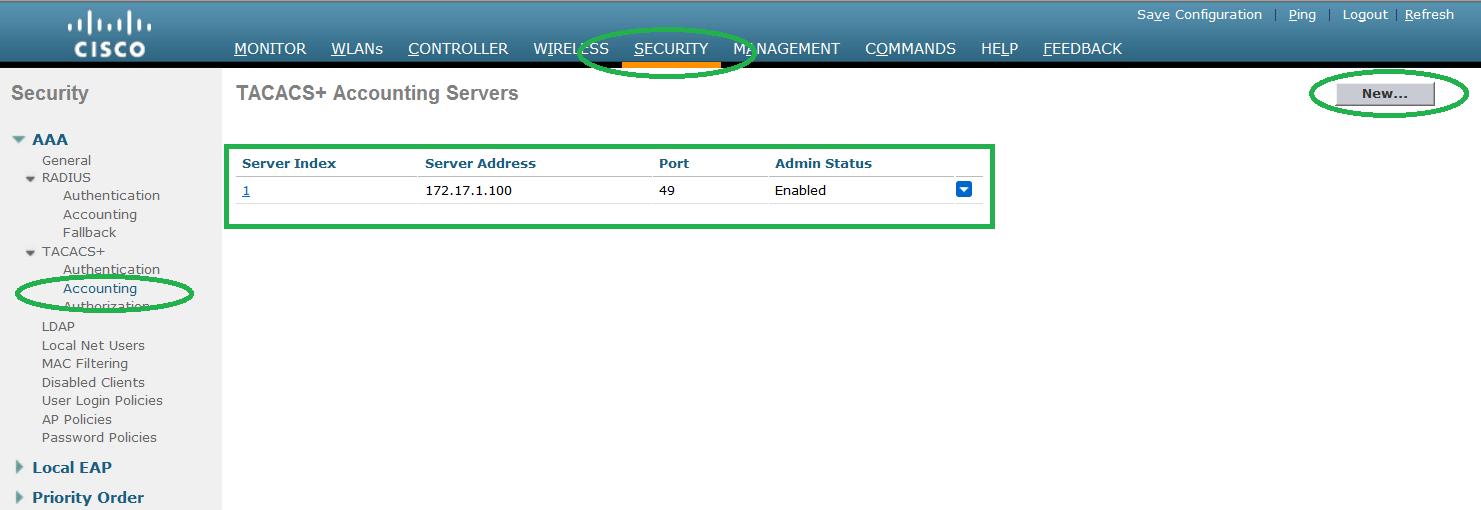
Step6. Press APPLY to continue. You can add more than one
accounting server as well.
accounting server as well.
Step7. Configure authorization servers. Process is very
similar as we have done for authentication servers.
similar as we have done for authentication servers.
Go to Security -> TACACs+ -> AUTHORIZATION and
click NEW.
click NEW.
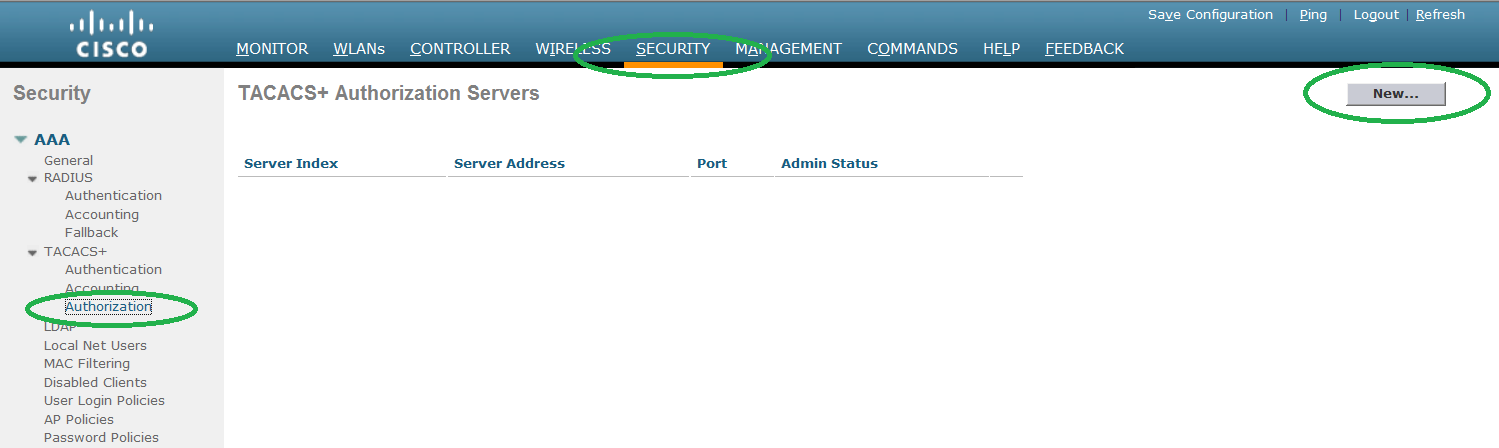
Step8. Complete the below required configuration and
press APPLY
press APPLY
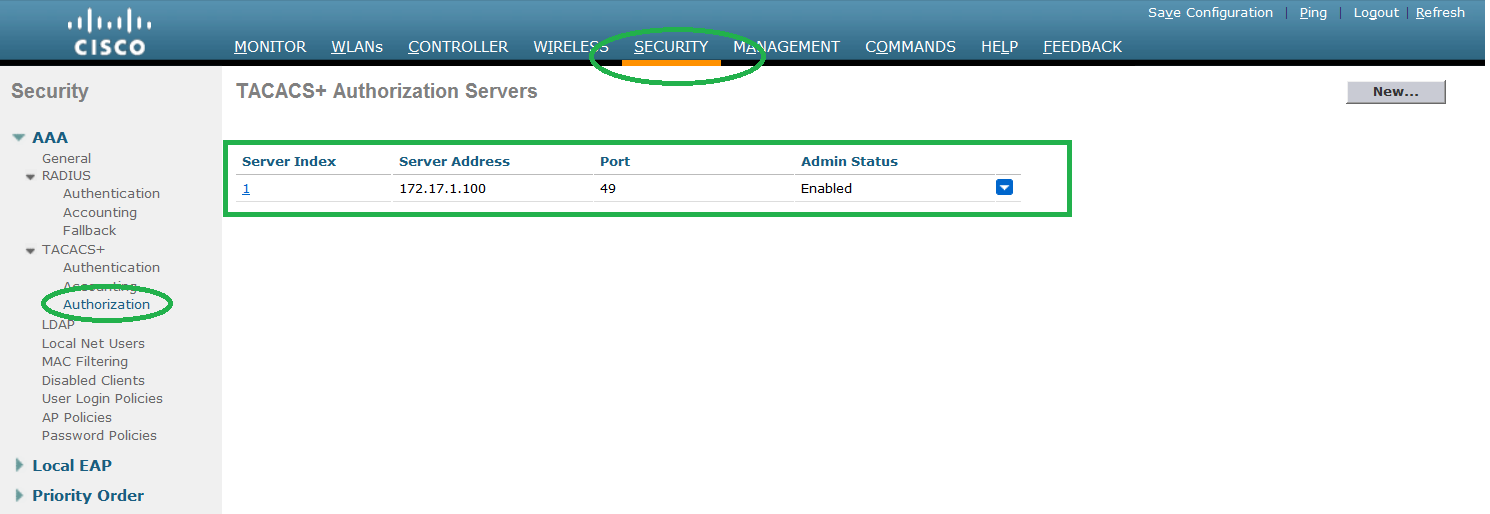
Stpe9. You can add more than one authorization servers.
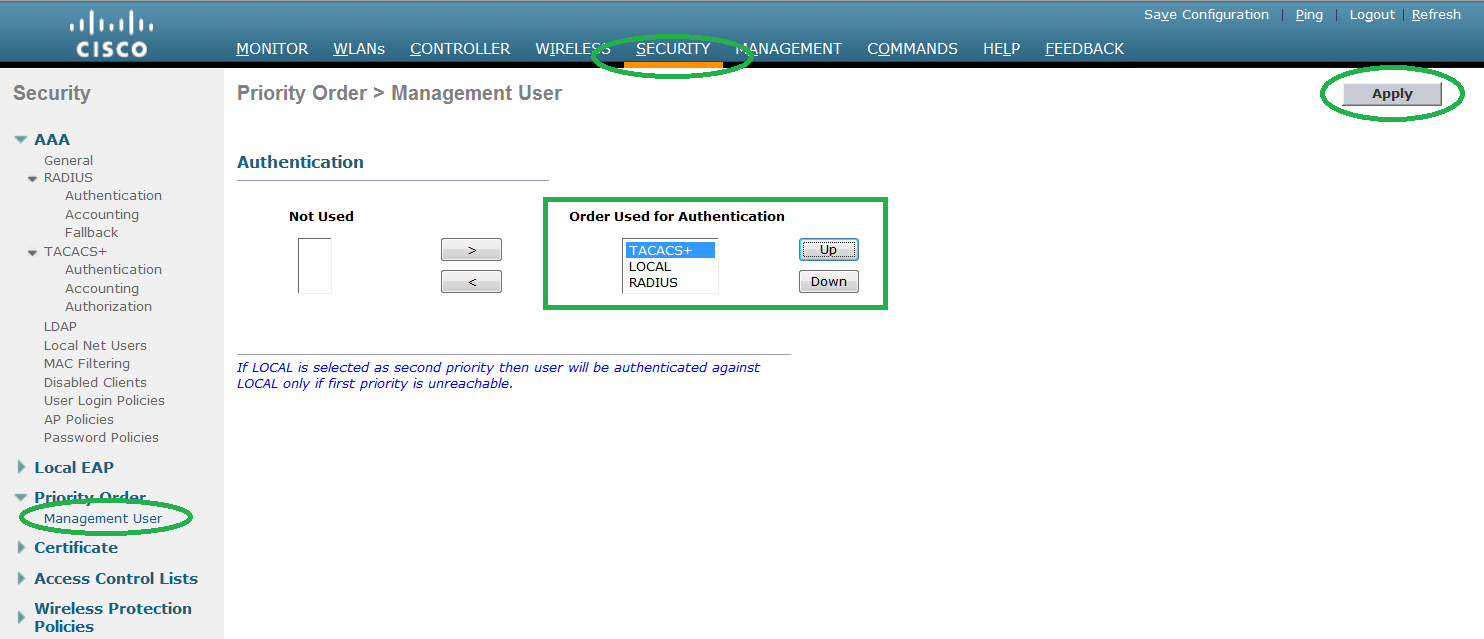
Sep10. By default, Tacacs authentication is disabled.
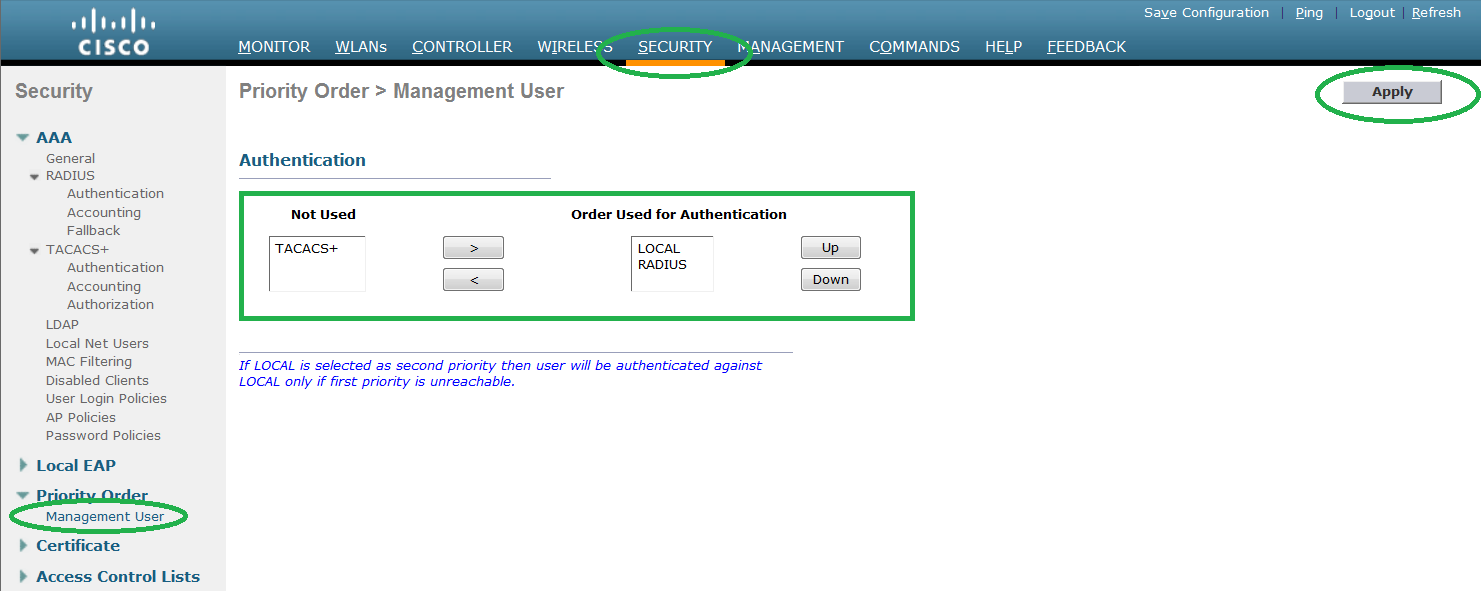
Step11. Select TACACS and click 
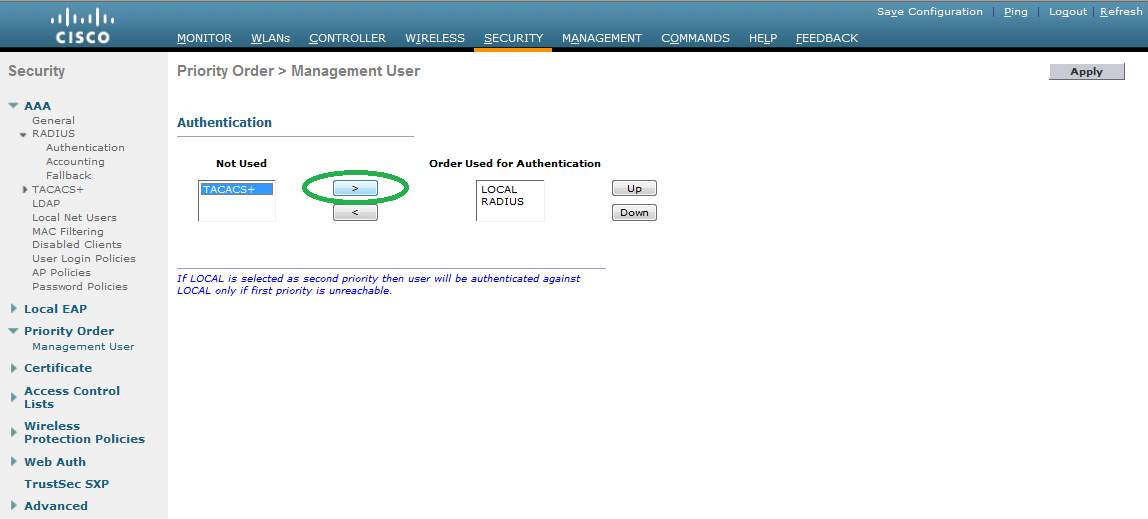
Step12. Once the TACACS
moved under ORDER USED FOR AUTHENTICATION section. Click UP to increase the
priority.
moved under ORDER USED FOR AUTHENTICATION section. Click UP to increase the
priority.
If the LOCAL option is
above the order, WLC will accept both local and Tacacs credentials. This
behaviour is different from what we have in cisco router and switches.
above the order, WLC will accept both local and Tacacs credentials. This
behaviour is different from what we have in cisco router and switches.
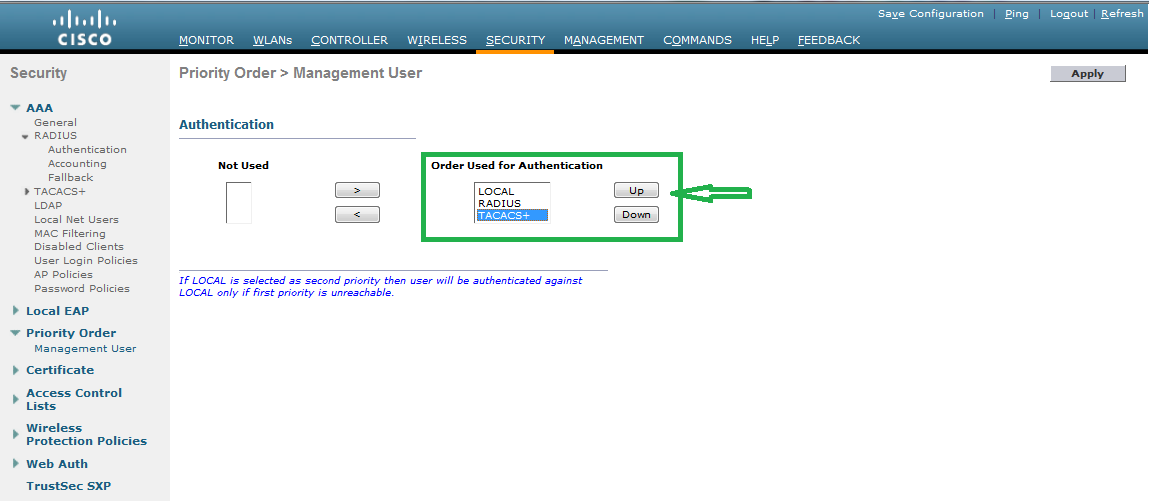
priority of TACACs by clicking the UP arrow. Once it is on the TOP, WLC will accept LOCAL credentials
only if Tacacs is unreachible.