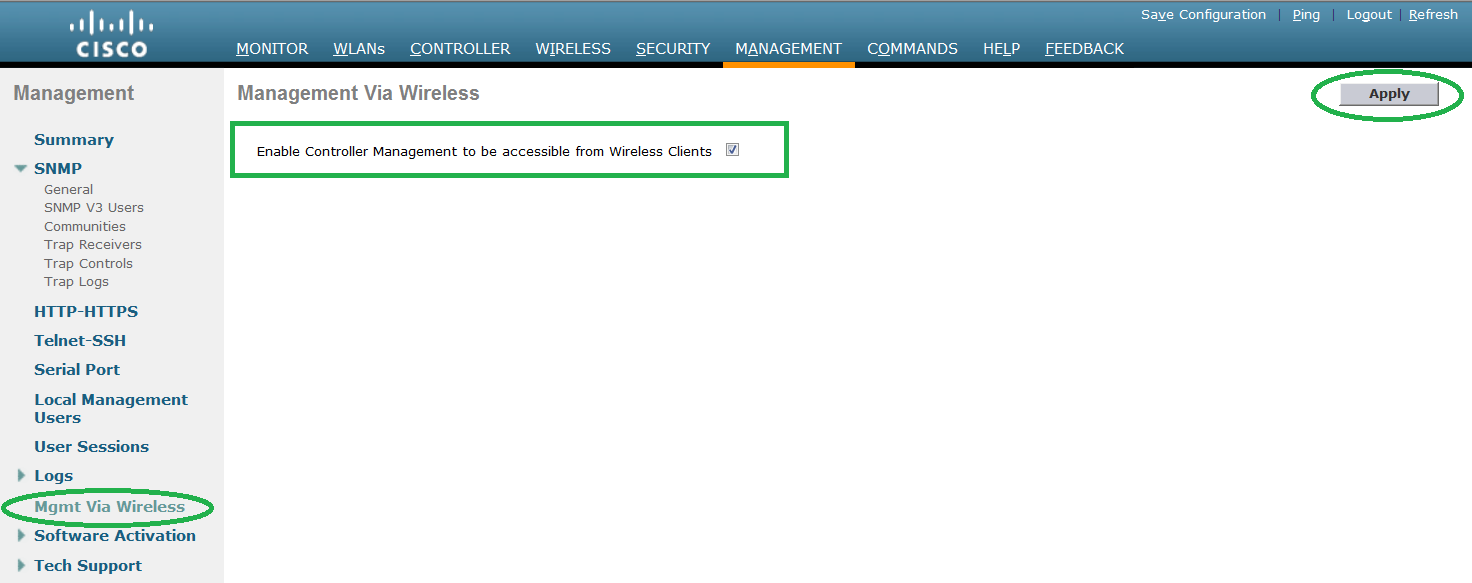
Follow the below setup to configure the new management user
in Cisco WLC.
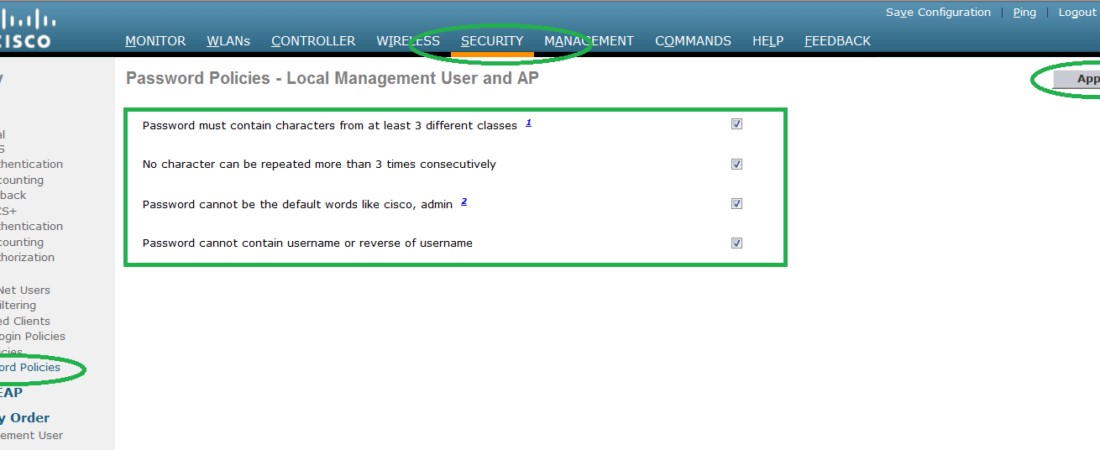
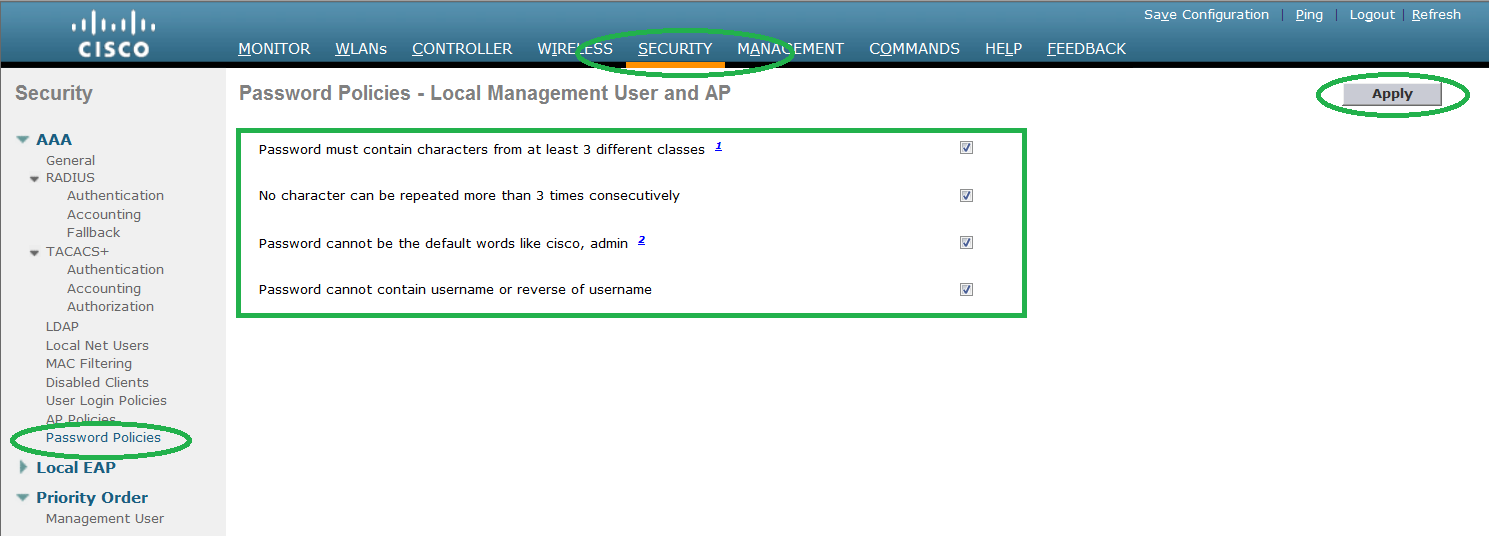
Step 1. Before creating the user, check the password
policies. It will be in use when you configure the password for the user.
policies. It will be in use when you configure the password for the user.
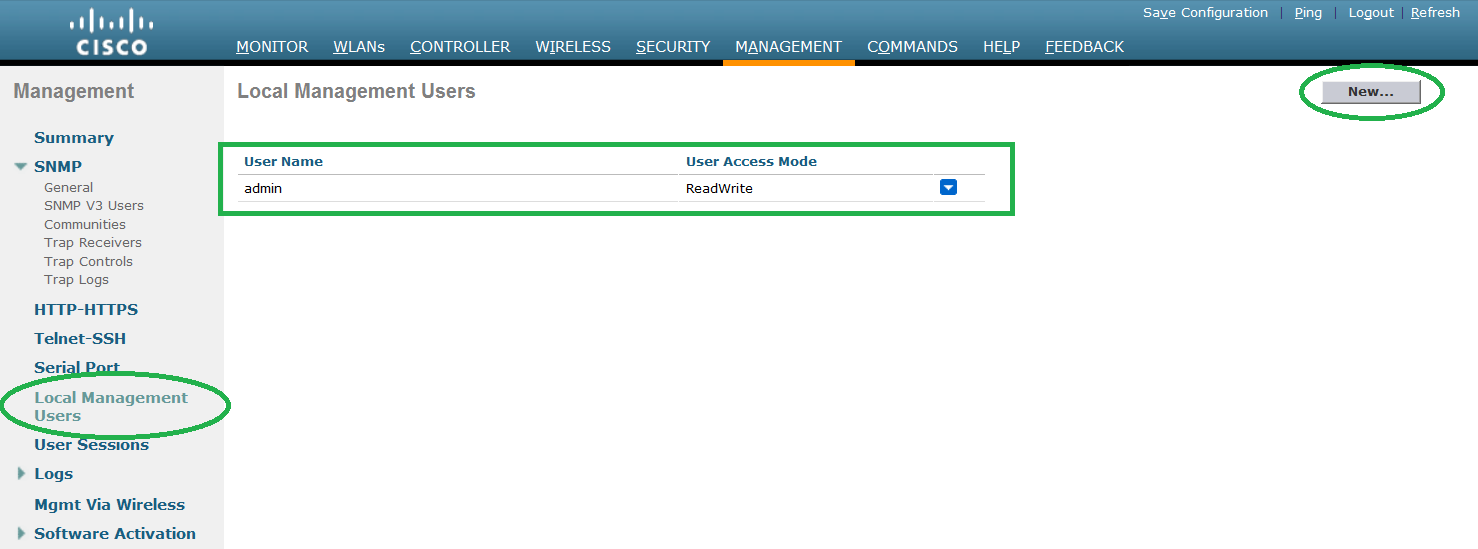
Step 2. To add new
management user, go to MANAGEMENT -> LOCAL MANAGEMENT USERS -> Click NEW.
management user, go to MANAGEMENT -> LOCAL MANAGEMENT USERS -> Click NEW.
Step 3. Configure the username and password. Password should
meet the policies configured in step 1.
meet the policies configured in step 1.
You can restrict the user access by selection the ReadWrite
or Readonly option.
or Readonly option.
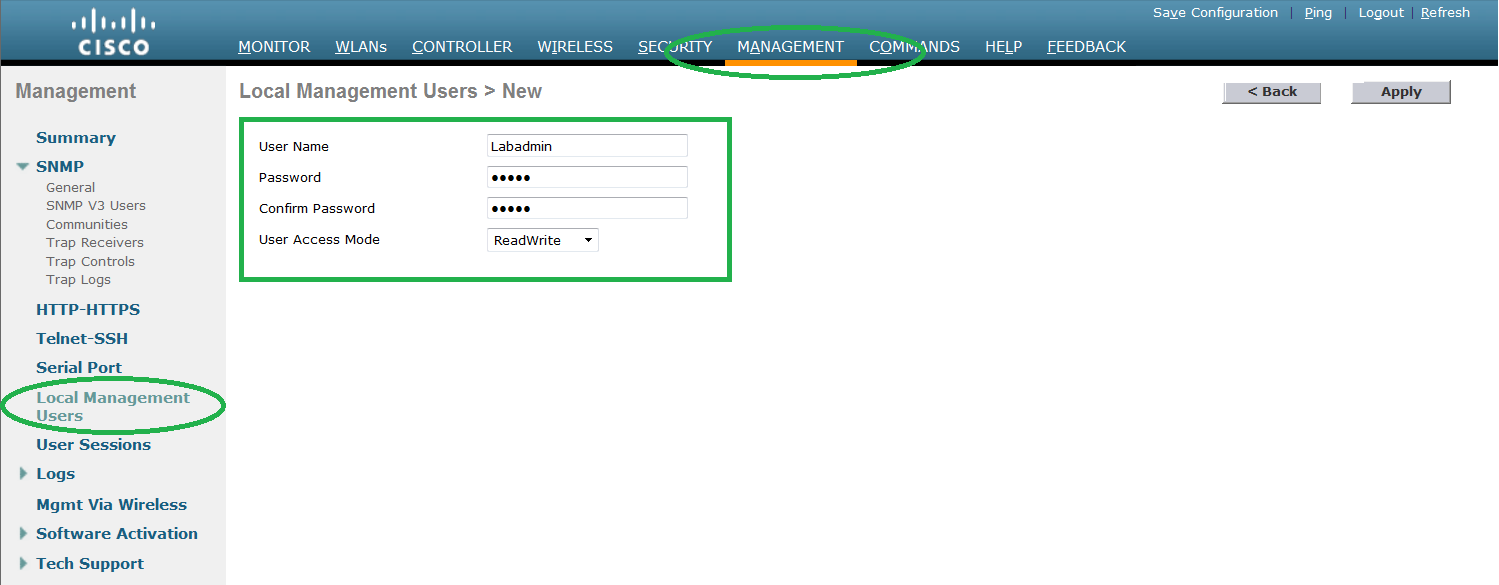
Step 4. Press Apply
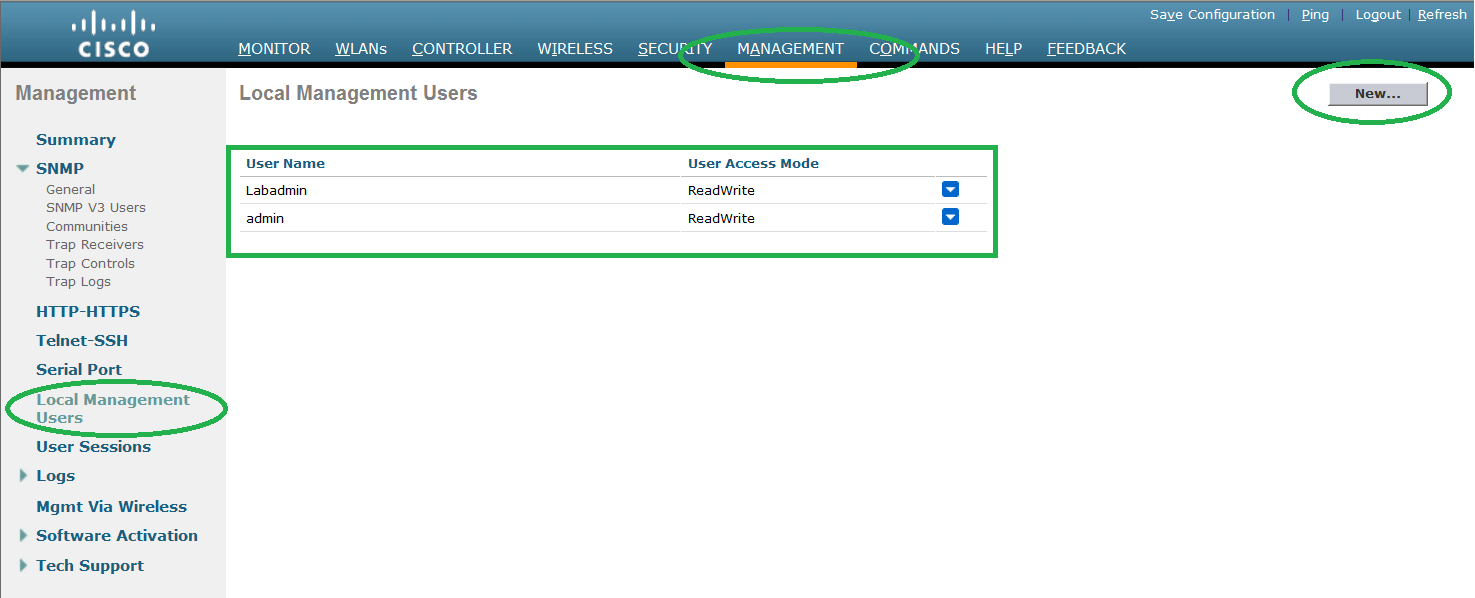
Step 5. Check the Priority
order.
order.
Go to SECURITY -> PRIORITY
ORDER -> MANAGEMENT USER.
ORDER -> MANAGEMENT USER.
Make sure the LOCAL is at the
top.
top.
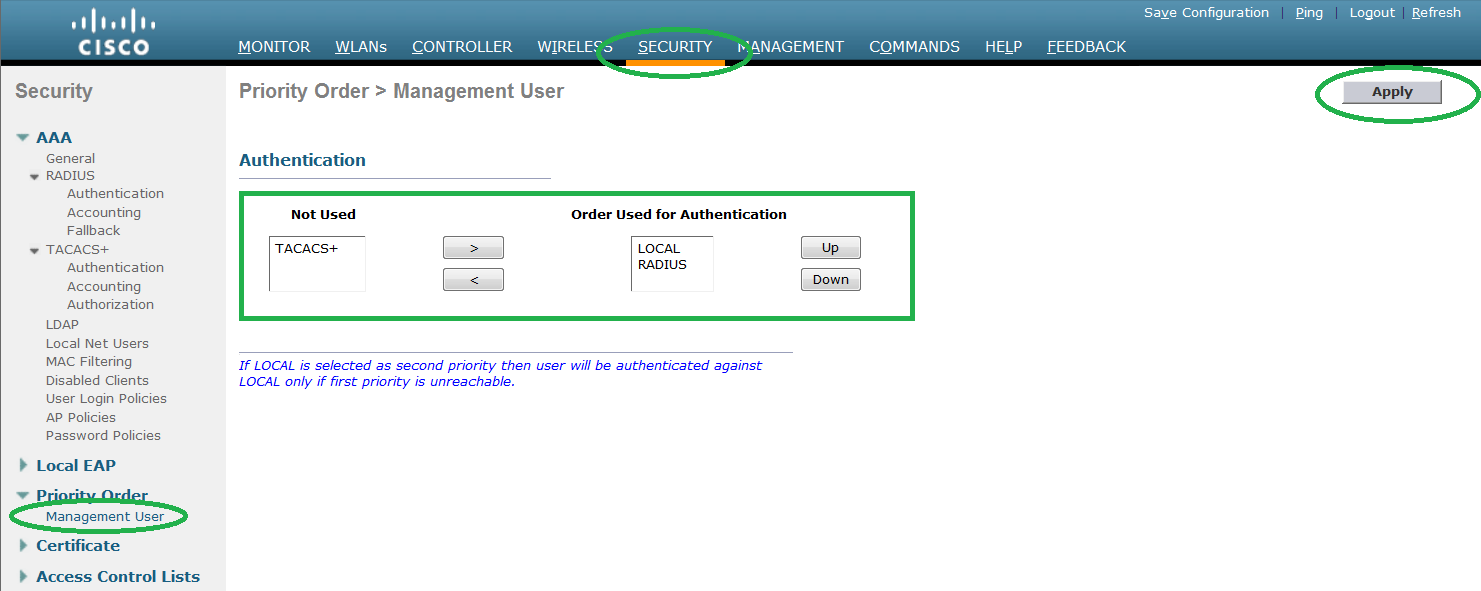
Step 6. You can also choose to enable controller access from
wireless.
wireless.
Go to Management -> Mgmt Via Wireless, check the box and
press APPLY.
press APPLY.