Latest posts
-
Download Configuration from FTP server to Cisco WLC
This procedure is useful in case of WLC hardware failure scenarios where we have the configuration backup and we need to put it to the new WLC. We are assuming both the new and old WLC have same hardware and software versions. Step1. Configure initial setup of new WLC using the document Initial configuration set…
-
Internal DHCP SCOPE in Cisco WLC via GUI
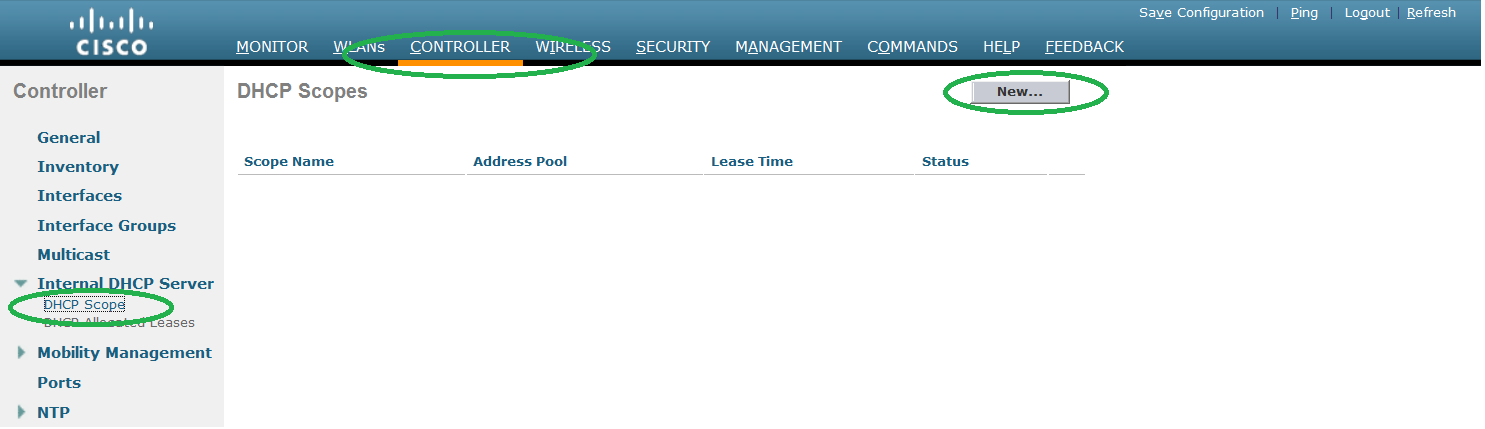
We can configure wireless controller as DHCP server for SSIDs. Step1. Create new DHCP scope. Go to CONTROLLER – > ITNERNAL DHCP SCOPE -> DHCP SCOPE and click NEW. Step2. Give the name to the scope and press APPLY. Step3. Click the scope name to edit it. Step4. Create the scope pool. Please choose…
-
Enable Tacacs in Cisco WLC
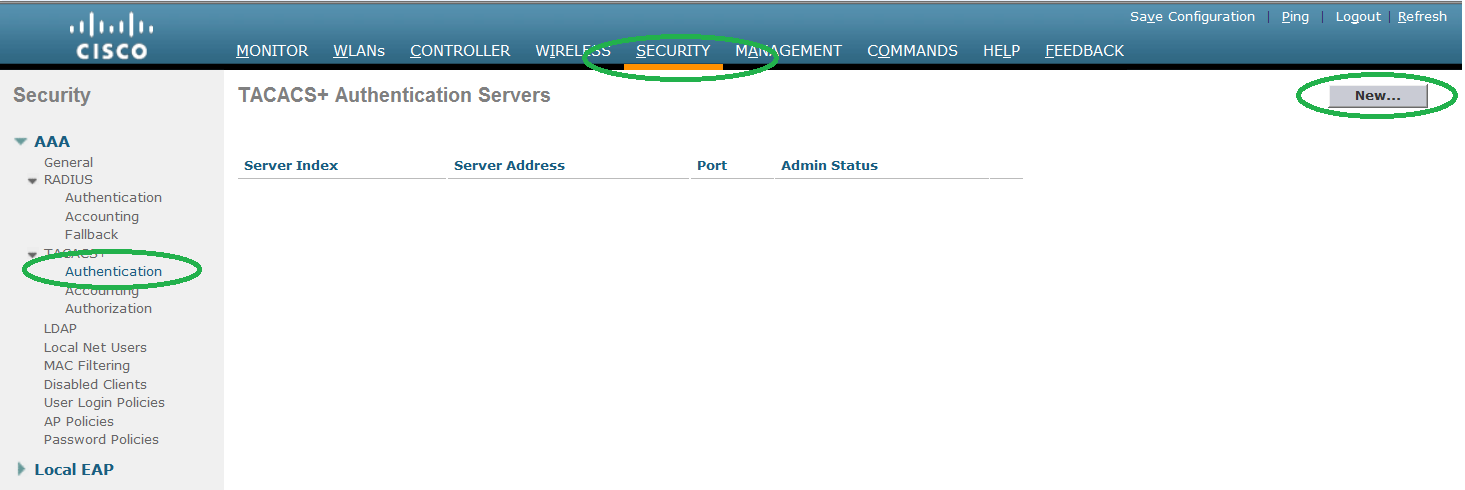
WLC can authenticate user not only from local database but can use external (Tacacs or Radius) servers. Below procedure explains the Tacacs configuration on the WLC and we assume that Tacacs server configuration has been done already. Step1. Configure the Authentication servers. Go to SECURITY -> Authentication and click NEW to proceed. Step2. Configure the…
-
Cisco WLC upgrade using CLI
This Document explains step by step procedure to configure WLC using CLI. We have used 2500 WLC to explain the procedure. 1. Before proceeding to upgrade process, please make sure that you take back up of configuration and license file. Please check the documents for configuration and license backup procedure. 2. Please test the reachability…
-
Cisco WLC Password recovery
We have used controller 2500 to demonstrate the password recovery procedure. It can be done using two methods. Method1: Step1. Take the console access of WLC. Step2. Hard Reboot the WLC. Step3. When it asks for username, type Restore-Password at user prompt. Please note WLC will accept this username only once after the reboot. Step4.…
-
Cisco WLC Boot sequence
Below documentation can be used to downgrade/upgrade WLC by changing the boot sequence. We have used 2500 series controller to demonstrate the same. Step1. Check the current active/default image. When we check the show boot output, many of us get confuse between active and default keyword. Here is the explanation: Active means the image which…
-
Cisco MSE 3310 upgrade procedure
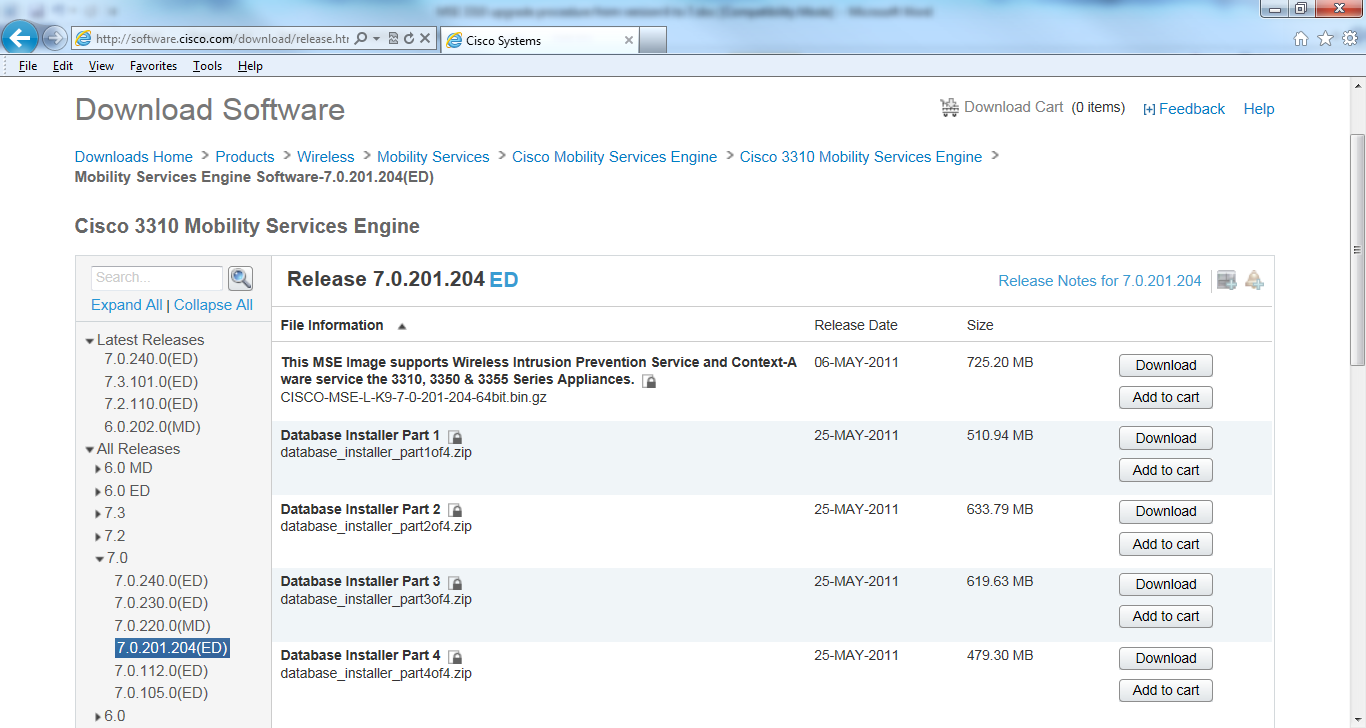
Below document can be used to upgrade MSE 3310 from firmware 6.0.105.0 to 7.0.201.204. Step1. Login to Cisco.com, follow the below path and download all the five files to your ftp server. Wireless ->Mobility Services ->Cisco Mobility Services Engine ->Cisco 3310 Mobility Services Engine-> Mobility Services Engine Software-7.0.201.204 Step2. Make sure that there is reachability…
-
Initial setup of Cisco WLC
Initial setup of WLC Below is the step by step procedure to configure the new WLC. The sequence of options depends on the hardware and IOS in use. We have used 2504 WLC and IOS version 7. In this document we have only configured the options which are necessary in the initial part. We have…
-
Internal DHCP scope on Cisco WLC
WLC can also be act as DHCP server. Here we are creating DHCP scope for corporate SSID. We are assuming corporate SSID is already configured. Please refer to document SSID creation if you also want to create SSID. DSCP scope creation on WLC is quite similar as we do in router or switch Step1. Give…
-
Configuration backup of Cisco WLC using CLI
We can save the WLC configuration to the remote server by following the below method. Step 1. Before proceeding, please make sure that you have reachability of FTP server with WLC. (Cisco Controller) >ping 192.168.1.10 Send count=3, Receive count=3 from 192.168.1.10 If there is any firewall in between controller and FTP server, please open…