Below script is used to
remove empty rows from notepad.
remove empty rows from notepad.
#open the file in read
mode which you need to modify, we have
used ip.txt file.
mode which you need to modify, we have
used ip.txt file.
file= open(“ip.txt”,”r”)
# Read the file
lines = file.readlines()
# close the file
file.close()
# Read the file in
write mode
write mode
file = open(“ip.txt”,”w”)
# Reading each line
and writing text which is not a space back to the file.
and writing text which is not a space back to the file.
for line in lines:
if
line!=””+”n”:
line!=””+”n”:
file.write(line)
file.close()
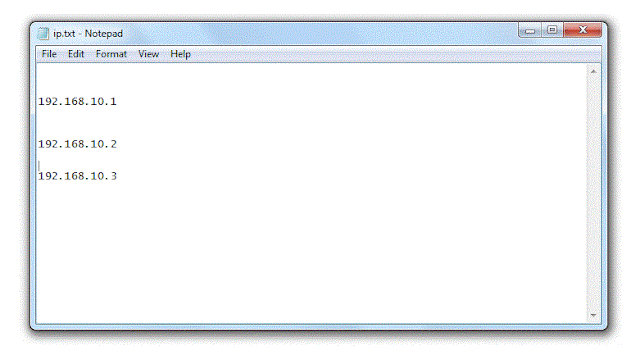
Before the script execution,
ip.txt contains below content. You can see there are various spaces in it.
ip.txt contains below content. You can see there are various spaces in it.
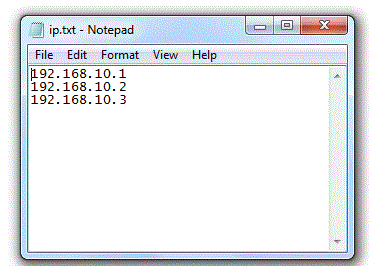
After script execution, All empty rows has been deleting from the file.